Is C++ hard for beginners?
C++ has more concepts than Python, but you can learn step by step. Start with syntax and control flow before pointers and templates.
Master C++ programming from basic syntax to advanced Object-Oriented Programming (OOP), STL, and modern C++ features with short focused examples.
Learn OOP concepts
Standard Template Library
C++11/14/17/20 Features
This chapter introduces the C++ language—how it compiles, how programs are structured, and why C++ remains essential for systems software, games, and high-performance applications.
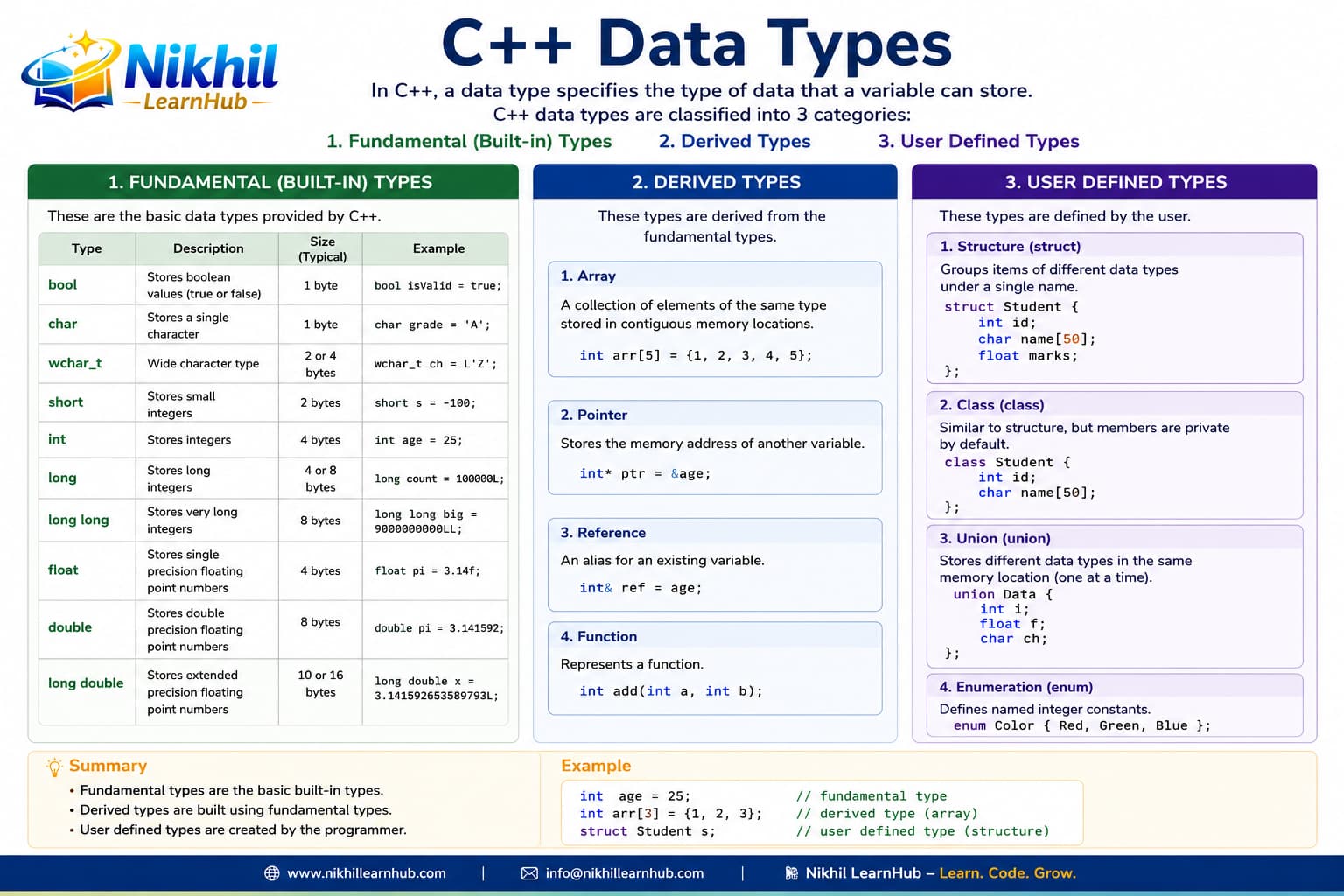
A solid introduction prevents confusion later when you meet pointers, OOP, and the STL. Interviewers often start with “What is C++?” and “How does a C++ program run?”
C++ is a general-purpose programming language created by Bjarne Stroustrup as an extension of the C programming language, or "C with Classes". It has imperative, object-oriented and generic programming features, while also providing facilities for low-level memory manipulation.
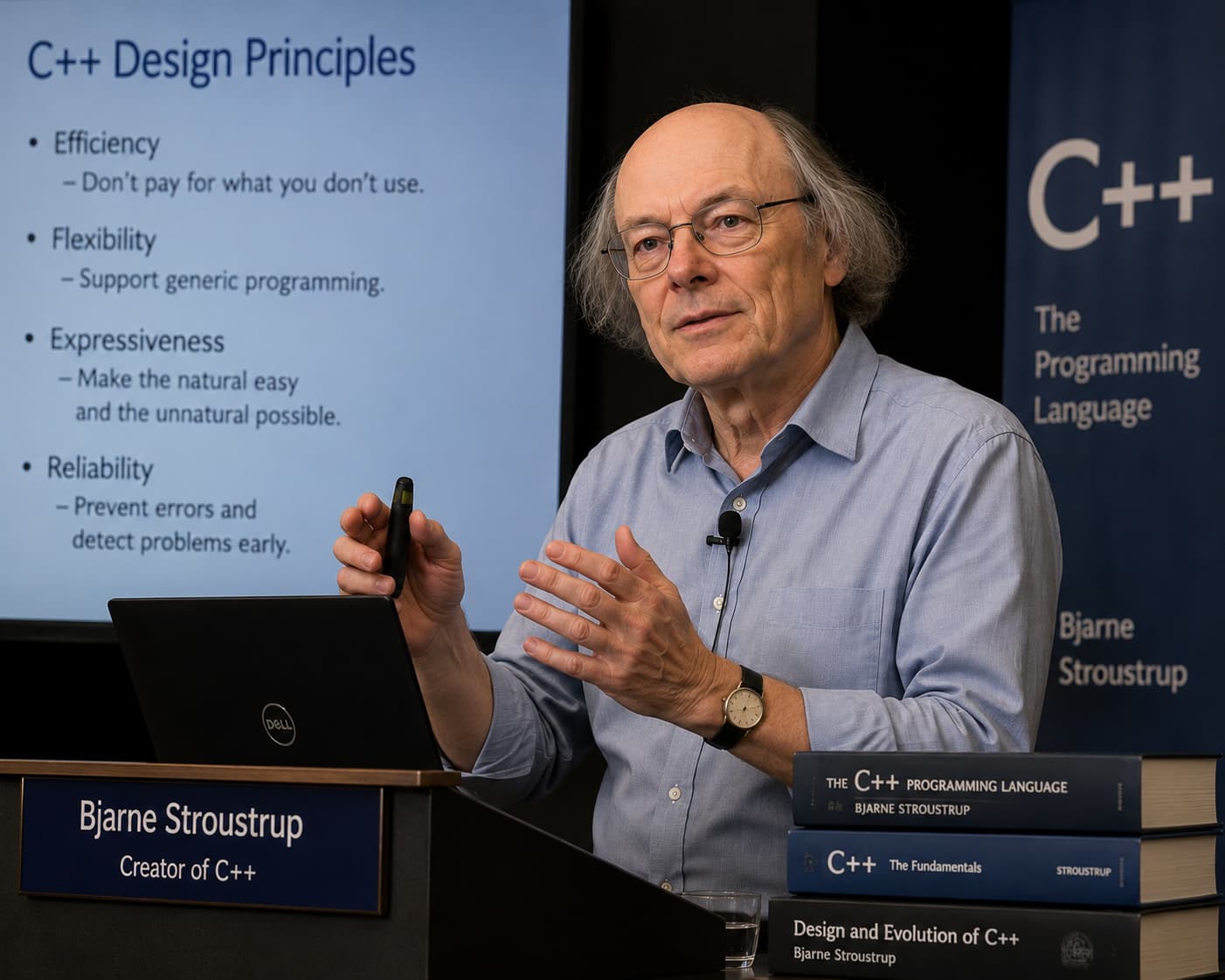
Every C++ program must have a main() function. Here's the traditional "Hello, World!" program:
cout << "Hello, World!" << endl;#include <iostream>
using namespace std;int main() {
return 0;
}int year = 2024;
cout << "Year: " << year << endl;// First C++ program
cout << "Ready!" << endl;/* Multi-line
comment */
cout << "Done" << endl;C++ is preferred when latency and memory efficiency are critical, such as game engines and trading systems.
You can optimize memory layout, object lifetime, and resource usage for system-level workloads.
Containers and algorithms (`vector`, `sort`, `map`) make high-performance code cleaner and safer.
Used heavily in embedded systems, graphics, robotics, compilers, and performance-critical backend tools.
vector<int> scores = {78, 92, 88};sort(scores.begin(), scores.end(),
greater<int>());cout << scores.front();for (int x : scores)
cout << x << " ";auto total = 0;
for (int x : scores) total += x;if (scores.size() > 0)
cout << "Has data";C++ programs are composed of various tokens including keywords, identifiers, literals, operators, and punctuators.
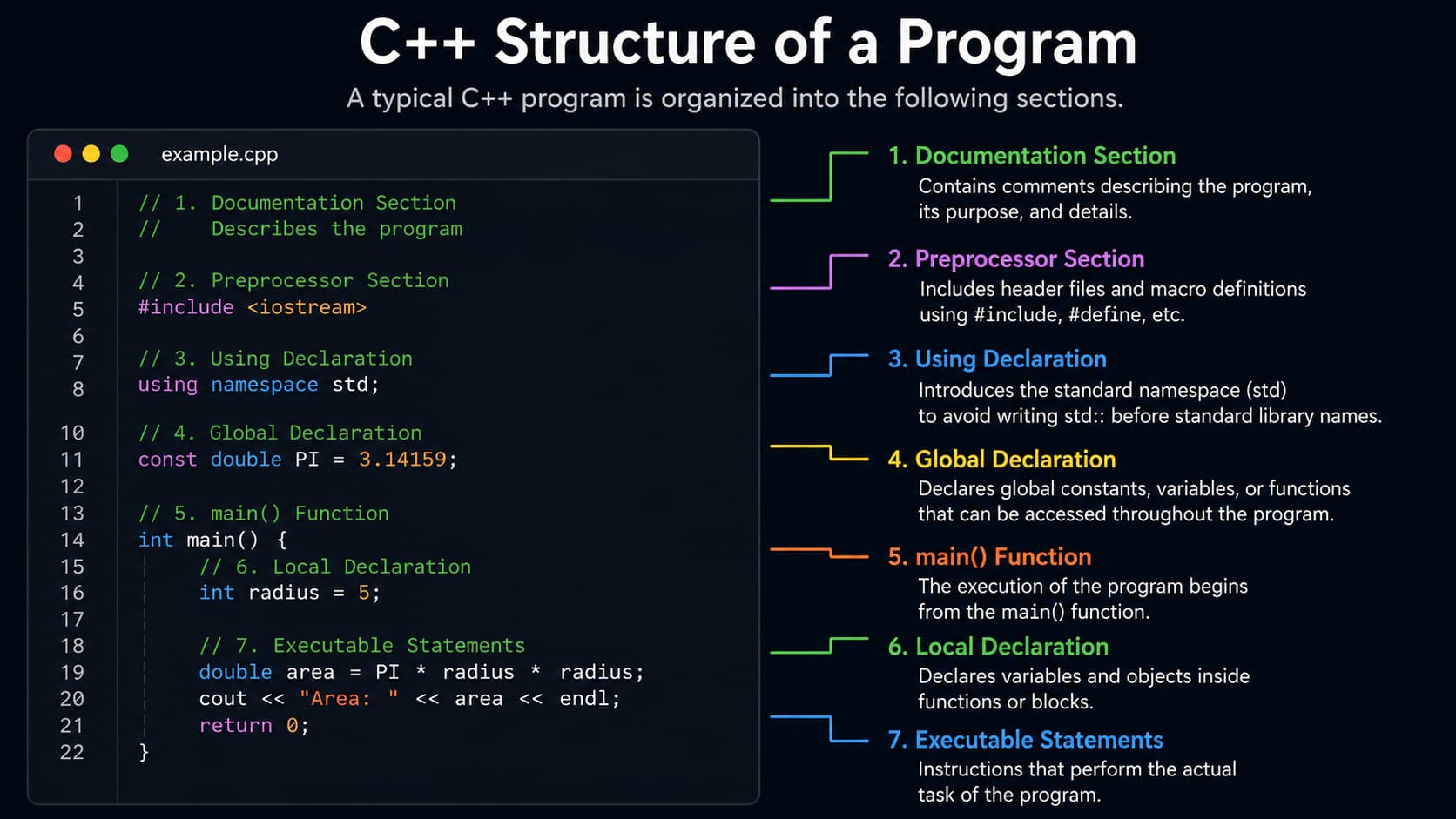
| Component | Description | Example |
|---|---|---|
| Preprocessor Directives | Instructions for the preprocessor | #include <iostream> |
| Namespace | Prevents naming conflicts | using namespace std; |
| Functions | Blocks of code that perform tasks | int main() { ... } |
| Variables | Named storage locations | int count = 10; |
| Statements | Instructions that perform actions | cout << "Hello"; |
| Comments | Explanatory text ignored by compiler | // Single line comment |
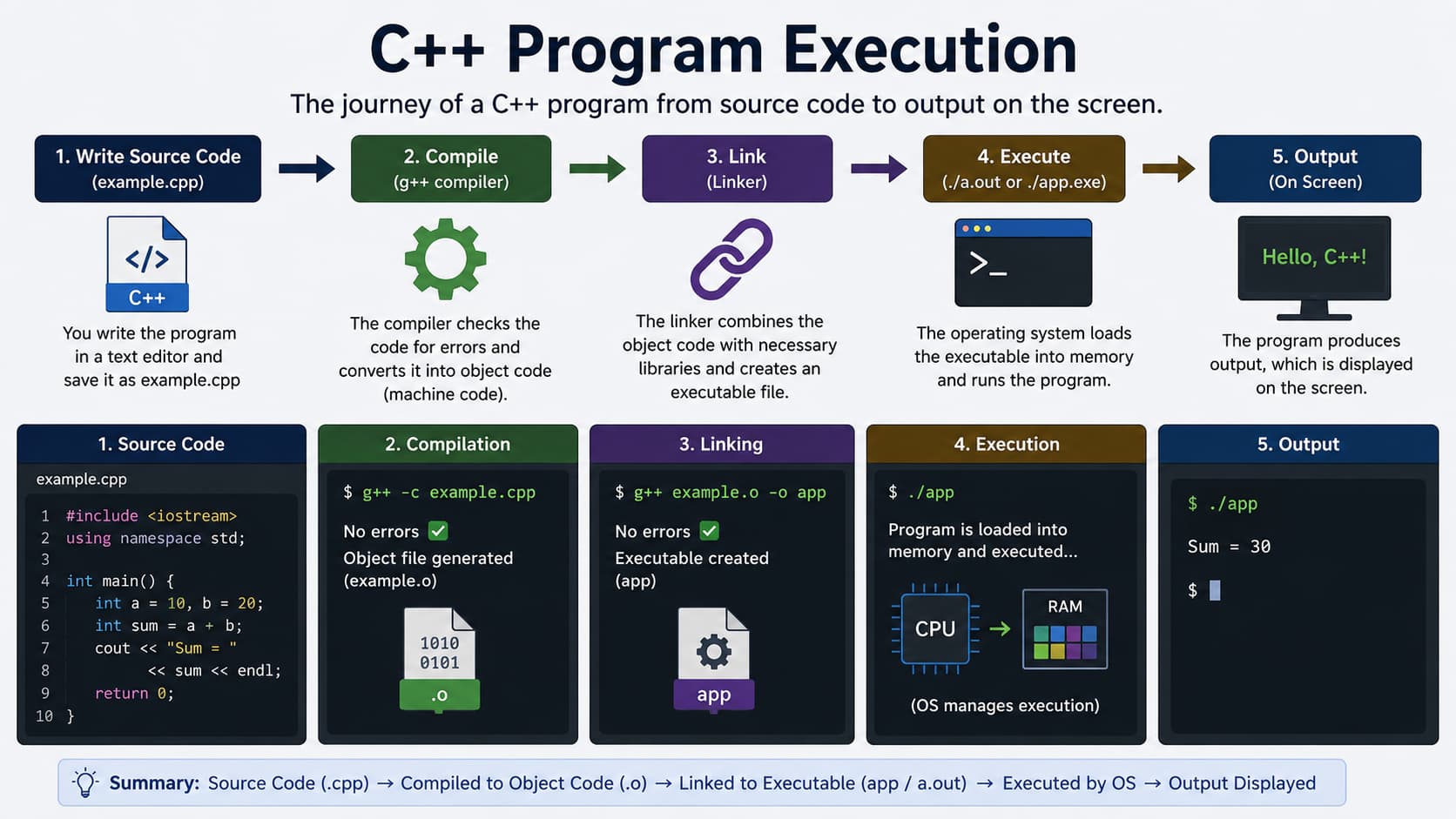
# Install MinGW
# Add to PATH: C:\MinGW\bin
# Compile: g++ hello.cpp -o hello.exe
# Run: hello.exe# Install g++
sudo apt install g++
# Compile
g++ hello.cpp -o hello
# Run
./helloSyntax, Data Types, Operators, Basic I/O
Conditionals, Loops, Functions, Arrays
Classes, Objects, Inheritance, Polymorphism
STL, File Handling, Modern C++
C++ supports various data types including primitive types, derived types, and user-defined types.
int age = 25;
cout << age;float salary = 45000.50f;
double pi = 3.14159;char grade = 'A';
bool isEmployed = true;auto score = 95.5; // double
cout << score;bool flag = true;
cout << boolalpha << flag;int x = 5, y = 10;
cout << x + y;| Data Type | Size (Bytes) | Range | Example |
|---|---|---|---|
int | 4 | -231 to 231-1 | int x = 10; |
float | 4 | ±3.4e-38 to ±3.4e38 | float f = 3.14f; |
double | 8 | ±1.7e-308 to ±1.7e308 | double d = 3.14159; |
char | 1 | -128 to 127 | char c = 'A'; |
bool | 1 | true/false | bool flag = true; |
wchar_t | 2 | 0 to 65,535 | wchar_t wc = L'A'; |
C++ has more concepts than Python, but you can learn step by step. Start with syntax and control flow before pointers and templates.
Helpful but not required. C++ is a separate language with extra features; this track builds from basics upward.
GCC (g++), Clang, or MSVC on Windows. Online compilers work for practice; install a local toolchain for larger projects.