Java Packages - Complete Tutorial
Master Java packages: Learn built-in packages, create user-defined packages, import statements, package hierarchy, and best practices for modular programming.
1. Introduction to Java Packages
Packages group related classes and interfaces into namespaces. They prevent naming conflicts and organize large projects.
- package declaration at top of file
- Folder structure mirrors package name
- Reverse domain naming convention
- Access control works across packages
package is first line; import shortens class names; use reverse domain naming.
Package naming
Use reverse domain names like com.yourcompany.app to avoid clashes.
package com.example.utils;

public class StringHelper {
    public static boolean isEmpty(String s) {
        return s == null || s.isEmpty();
    }
}
2. Built-in Java Packages
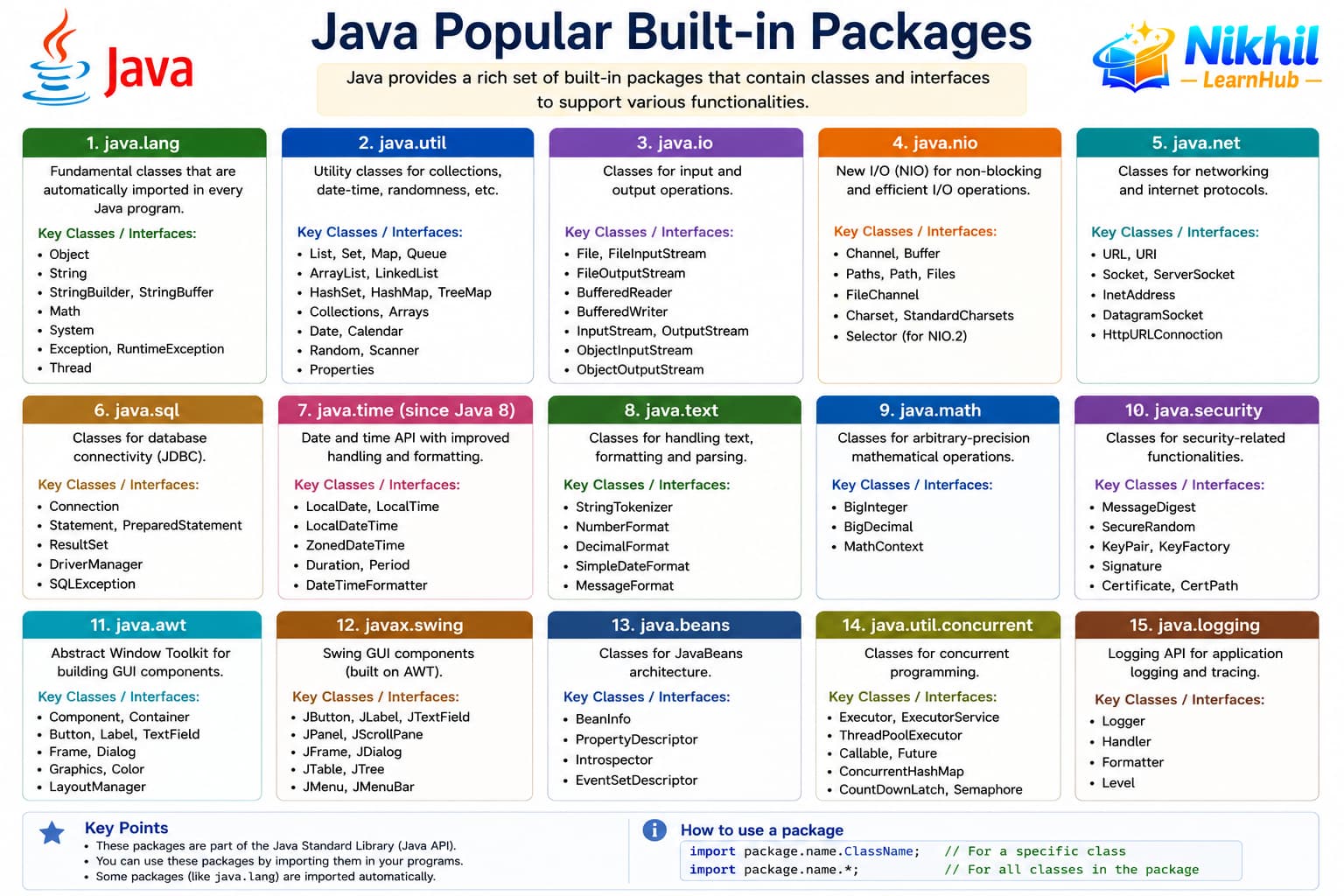
The Java standard library is organized into packages like java.lang, java.util, and java.io. java.lang is imported automatically.
- java.lang — String, System, Math
- java.util — collections, Scanner
- java.io — file and stream I/O
- java.time — modern date/time API
import java.util.ArrayList;
import java.util.List;

public class BuiltinDemo {
    public static void main(String[] args) {
        List<String> items = new ArrayList<>();
        items.add("Java");
    }
}
3. Creating User-Defined Packages
Place source files in folders matching the package path. Compile from the source root so the package structure is preserved.
- com.myapp.model for domain classes
- com.myapp.service for business logic
- One public class per file
- Directory must match package name
// File: com/myapp/model/User.java
package com.myapp.model;

public class User {
    private String name;
    public User(String name) { this.name = name; }
}
4. Import Statements
Import statements bring class names into scope so you can use short names instead of fully qualified names.
- import java.util.List;
- import java.util.* — wildcard import
- static import for static members
- Same package classes need no import
import java.util.HashMap;
import java.util.Map;
import static java.lang.Math.PI;

public class ImportDemo {
    public static void main(String[] args) {
        Map<String, Integer> map = new HashMap<>();
        System.out.println(PI);
    }
}
5. Practical Package Examples
Real projects split code into layers: model, service, controller, and util packages keep dependencies manageable.
- model — data classes
- service — business rules
- util — helpers
- Avoid circular package dependencies
package com.shop.service;

import com.shop.model.Product;

public class PriceService {
    public double discount(Product p, double rate) {
        return p.getPrice() * (1 - rate);
    }
}
6. Package Best Practices
Consistent package structure improves navigation and build tooling integration.
- Use reverse domain naming
- Keep packages focused and cohesive
- Avoid wildcard imports in production code
- Document public API packages
- Match module boundaries in large apps